Tutoring management software: a buyer's guide for independent tutors
Tutoring management software does four jobs: it schedules sessions, holds session notes, builds invoices from what actually happened, and collects the money. If you're an independent tutor, the right choice is the cheapest tool that does all four without metering you per lesson or taking 3.5% of every card payment. Most of this category isn't built for you.
The short version
- Most tools in this category are priced for agencies. They assume a roster of tutors, a recruiting pipeline, and branch management. You are the roster.
- The subscription is rarely the biggest line. Per-lesson metering and card take rates scale with your work, and they're where the real money goes.
- At 25 sessions a week, payment fees dwarf the software fee in every model we costed below.
- Buy for the four core jobs first. Scheduling plus notes plus attendance-based invoicing plus payment collection. Everything else is a bonus.
- Check prepaid packages and data export before you sign. Both are easy to assume and painful to discover you don't have.
Disclosure: LessonCadence is our product. It appears in the tables below alongside the others, and every competitor price here was re-read on the vendor's own pricing page on September 30, 2026 and date-stamped in Sources.
What tutoring management software actually is
It's the system of record for a session. One record carries the booking, what you covered, what the student owes, and whether it's been paid.
That's different from a scheduler, which only creates the booking, and different from an invoicing app, which only knows the amount. The value is the connection between them: an invoice that's built from attendance rather than typed from memory.
Software sold to tutoring agencies does more — tutor recruitment, applicant tracking, tutor payroll, branch-level reporting, marketplace profiles, custom domains. That machinery is real and useful at 20 tutors. At one tutor it's an expensive way to book a Tuesday.
The seven jobs, and which ones you actually need
Score any tool against this list before you look at a price.
- Schedule. Recurring weekly slots, not one-off links. Most tutoring is a standing Tuesday at 5.
- Remind. Automated SMS or email before the session. This is the cheapest no-show reduction available.
- Note. A session note the parent can read, attached to the session.
- Assign. What to review before next time, in writing, where a parent can see it.
- Invoice. Generated from attendance, with credits and cancellations already applied.
- Collect. Stored card or bank debit, charged automatically, with a failed-payment path.
- Enforce. A cancellation window the system applies at the moment of reschedule, so you're not the one enforcing it by text.
Jobs one through six are table stakes. Job seven is where tools differ most, and it's the one that pays for itself: a 24-hour policy nobody applies is not a policy.
Put a number on that. At $60 a session, one late cancellation a week that you never charge for is $60. Over a 40-week school year that's $2,400, more than a decade of any subscription in this guide.
You don't have to charge every time. You do have to decide once, in software, instead of thirty times, in your head, at 9pm.
What an agency needs that you don't
The gap between agency tools and solo tools isn't quality. It's a different set of problems.
An agency needs a tutor pipeline: job applications, interviews, onboarding, background checks. It needs tutor payroll, because the person teaching isn't the person billing. It needs branch or location reporting, white-label domains so the brand isn't the founder's name, and margin reporting per tutor.
You need none of that. You are the tutor, the brand, and the payroll. Every one of those modules is a menu item you'll never open, a settings screen you have to skip past, and a share of the price you're paying anyway.
That's the honest reason agency tools feel heavy to a solo tutor. Nothing is wrong with them. They're just answering someone else's question.
The four pricing models, and where each one bites
Every tool in this category uses one of four models. Understanding the model matters more than comparing headline prices, because three of the four grow as you do.
Flat subscription plus card pass-through. You pay a fixed monthly fee, and your processor bills card fees directly at its published rate. Stripe's standard US rate is 2.9% + 30¢ per online card transaction, with ACH bank debits at 0.8% capped at $5.00 (verified 2026-09-30). Predictable, and the cheapest at volume.
Flat subscription plus a per-lesson meter. Teachworks charges a base fee plus a fee for each student lesson: its Starter tier is $16.49/mo plus $0.320 per student lesson, Growth is $47.99/mo plus $0.189, and Premium is $187.99/mo plus $0.065 (verified 2026-09-30). Cheap when you're small, and the meter only really bites at volume — more on that below.
Subscription plus a card take rate. TutorCruncher's Pay as you go plan starts from $30/month with a 3.85% card transaction fee; Startup starts from $80/month at 3.5%; Enterprise starts from $240/month at negotiated rates. International cards add 1.5% and premium cards (Amex, Diners, JCB, prepaid, UnionPay) add 2% (verified 2026-09-30). That take rate includes processing, so compare it against roughly 3.0% all-in, not against zero.
The DIY stack. A scheduler plus an invoicing app plus a processor. Calendly's Free plan allows one event type; Standard is $12/seat/mo billed monthly, or $10 billed annually (verified 2026-09-30). Wave's Starter plan is $0/month and charges 2.9% + $0.60 per card transaction, with Pro at $19/month (verified 2026-09-30). Cheap in dollars. Expensive in evenings.
One more trap worth naming: booking caps. SimplyBook.me's Free plan allows 50 bookings, Basic ($13.90 monthly, $11.90 annual) allows 100, and Standard ($29.90 monthly, $24.90 annual) allows 500 (verified 2026-09-30). At 25 sessions a week you're at roughly 108 bookings a month, so the entry tier stops working before your business does.
Total cost of ownership at 10, 25 and 40 sessions a week
Here's the artifact. Same assumptions across every row, so the comparison is honest.
Assumptions: $60 per session. Each student takes one weekly session, so 10 sessions a week means 10 students. 4.3 weeks per month, giving 43, 108 and 172 sessions monthly. Monthly invoicing, so one card charge per student per month at an average of $258. All payments by domestic card. Prices are USD, verified 2026-09-30.
| All-in monthly cost | 10/wk ($2,580 billed) | 25/wk ($6,450 billed) | 40/wk ($10,320 billed) |
|---|---|---|---|
| Flat + pass-through — LessonCadence Solo $18/mo | $95.82 | $212.55 | $329.28 |
| Flat + pass-through — TutorBird $16.95/mo | $94.77 | $211.50 | $328.23 |
| Metered — Teachworks Starter $16.49 + $0.320/lesson | $108.07 | $245.60 | $382.81 |
| Take rate — TutorCruncher Pay as you go from $30 + 3.85% | $129.33 | $278.33 | $427.32 |
| DIY — Calendly Standard $12 + Wave Starter $0 | $92.82 | $214.05 | $335.28 |
Card cost is included in every row. For the pass-through and metered rows that's Stripe's 2.9% + 30¢; for the DIY row it's Wave's 2.9% + $0.60; for TutorCruncher it's their published card fee, which already includes processing. Teachworks connects to Stripe as a free add-on and doesn't charge its own payment fee, so its processing is billed by the processor.
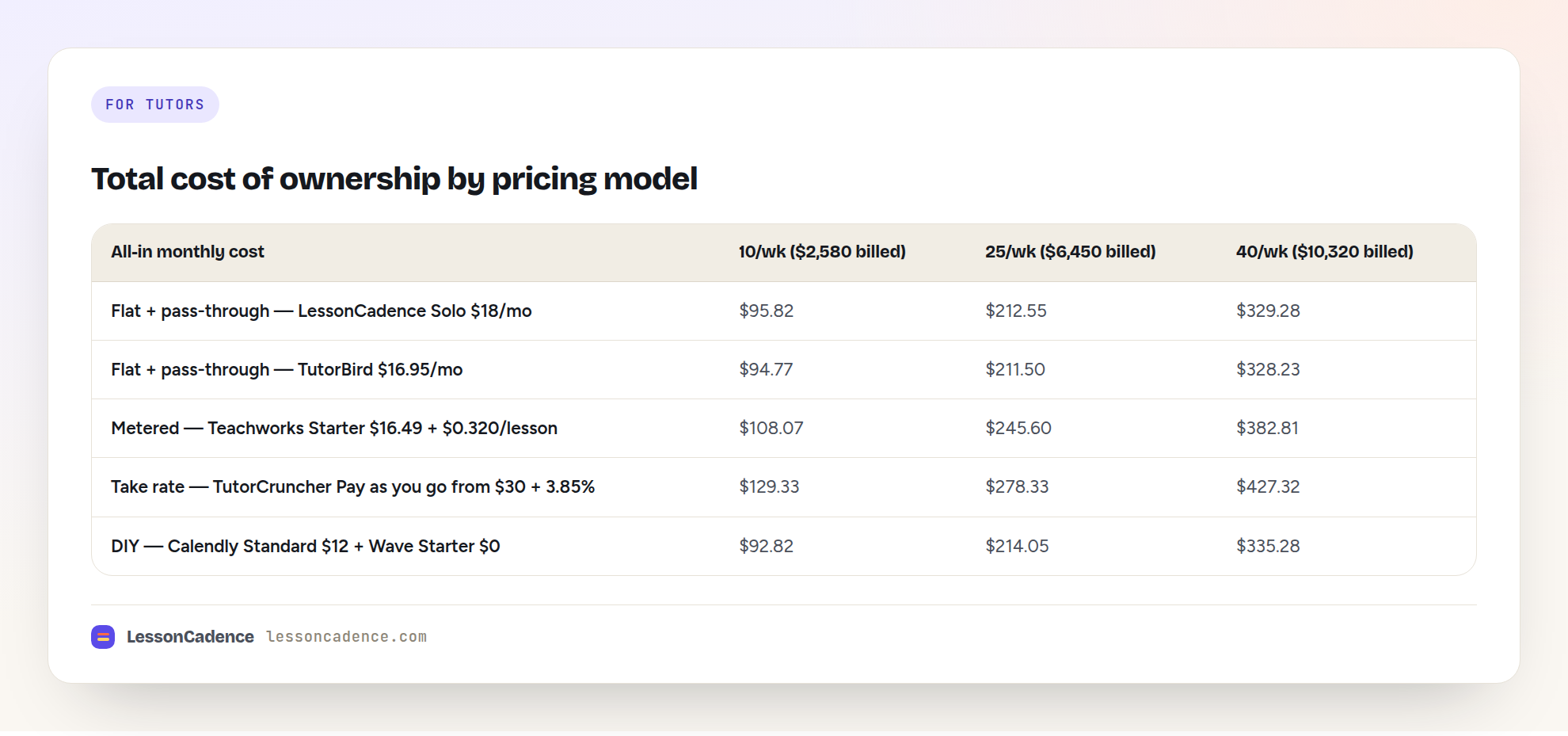
What the table tells you
At 10 sessions a week, everything is roughly the same. The spread between cheapest and dearest is about $37 a month. Pick on fit, not price.
At 40 sessions a week, the model is the whole story. TutorCruncher's Pay as you go row costs $98.04/month more than a flat subscription with pass-through pricing — about $1,176 a year. Most of that is the card fee: on the same billings, 3.85% is $397.32 while 2.9% + 30¢ across 40 charges is $311.28, a gap of $86.04. The remaining $12 is the subscription.
Per-lesson metering is gentler than it sounds — until it isn't. At $0.320 a lesson, 172 lessons costs $55.04. Do the algebra on Teachworks' own tiers and Starter stays cheaper than Growth until about 240 lessons a month, which is roughly 56 sessions a week. Below that, the meter is an annoyance rather than a problem.
The DIY stack does not save you money. It is $3 a month cheaper at 10 sessions a week, $1.50 dearer at 25 and $6 dearer at 40. What you actually pay is in reconciliation: matching a Calendly booking to a Wave invoice to a Venmo payment, every month, by hand.
Check the tier crossover before you commit. TutorCruncher's Startup plan at $80 and 3.5% beats Pay as you go at $30 and 3.85% only once you bill about $14,286 a month. Below that, the cheaper subscription with the higher rate wins. Vendors rarely draw you that line. We walk through the full fee stack in our breakdown of TutorCruncher's real monthly cost, and the same math for the meter in what Teachworks' per-lesson fees really cost.
The comparison, and what each tool is genuinely good at
| Tool | Genuinely good at | Where it stops for a solo tutor | Published price (verified 2026-09-30) |
|---|---|---|---|
| TutorCruncher | Deep agency operations: tutor payroll, branches, white-label domains, video with recording | Priced and built around a tutor roster; card fees are the highest in this set | From $30 / $80 / $240 per mo + 3.5–3.85% card |
| Teachworks | Multi-vertical depth (tutoring, test prep, language, music, driving), free Stripe add-on, API on higher tiers | Business-ops orientation and usage metering suit centers more than one person | $16.49 + $0.320/lesson; $47.99 + $0.189; $187.99 + $0.065 |
| TutorBird | Tutor-shaped all-in-one at solo pricing: notes, invoicing, payroll tracking, website builder | Processing rates aren't published on the pricing page, so budget your processor separately | $16.95/mo + $4.95 per additional tutor |
| Calendly / SimplyBook.me | Frictionless booking; genuinely the best pure schedulers | No session notes, no attendance-based invoice, no family accounts, no policy enforcement | Calendly free / $12 seat; SimplyBook.me free / $13.90 / $29.90 |
| Wave / QuickBooks | Real bookkeeping and clean invoices your accountant will accept | Knows nothing about your calendar; every invoice starts as data entry | Wave $0 / $19; QuickBooks Simple Start $38/mo |
| LessonCadence | One lesson record from schedule to note to invoice to payment, across tutoring and music | Prepaid session packages are on the roadmap, not in the product today | $18/mo Solo; card pass-through, optional 1% |
Two honest notes on that table. TutorCruncher is the strongest product here if you're running an agency with branches and a tutor payroll, and nothing in our pricing analysis changes that. And our own optional 1% "LessonCadence Pay" fee, if you switch it on, puts our all-in card cost near 4% — it exists for tutors who want instant payout and automatic dunning, and the default is straight pass-through.
If you want dated verdicts and picks rather than a framework, that's a different article: see our 2027 roundup of tutoring software, refreshed each January.
Session packages: the requirement most tutors discover late
Tutors bill differently from music teachers. A ten-session SAT package paid up front is normal in test prep and rare in a piano studio. If packages are how you sell, package support isn't a nice-to-have — it's the billing model.
Ask a vendor these four questions before you buy:
- Can a client buy a block of sessions up front, and does the system draw down the balance as sessions are delivered?
- What happens to unused sessions at expiry, and can you set the expiry date?
- Does a late cancellation consume a session from the package, or return it?
- Can you see, on one screen, how many sessions each family has left?
Vendors answer the first question and skip the other three. The third one is where the arguments happen.
Being straight with you: LessonCadence does not do prepaid packages today. Package and prepaid credits are on our V2 roadmap. Everything else in this guide — attendance-based recurring invoicing, auto-pay, family accounts, the cancellation policy engine, the make-up credit ledger — is shipped and running. If prepaid packages are load-bearing for your business right now, buy something that has them, and check back with us. The billing math either way is in package versus pay-per-session tutoring.
The feature tutors under-buy: parent-facing session notes
Most tutors choose a tool on scheduling and billing, then discover the thing that keeps clients is the note.
A parent who pays $60 an hour and never sees what happened in the hour is deciding, quietly, whether this is working. A four-line note after every session answers that question before they ask it: what we covered, what went well, what to review, what to expect next time.
It's also your evidence when a family says the sessions weren't helping. Twenty notes across a term are hard to argue with.
Pure schedulers have nothing here. Wave and QuickBooks have nothing here. Every purpose-built tutoring tool has some version of it, so make the parent view the thing you test during the trial.
Write one real note. Then look at it the way a parent would, on a phone.
Score the tools yourself
Vendor comparison pages are written by vendors, including this one. Score the shortlist against your own weighting instead. Give each tool 0, 1 or 2 points per line — 0 for missing, 1 for workable, 2 for genuinely good — and double the score on any line you know is a dealbreaker for you.
- Recurring weekly scheduling with reschedule and cancel flows
- Automated session reminders by SMS and email
- Session notes a parent can read without logging into anything complicated
- Assignments or "what to review before next time," attached to the session
- Invoices built from attendance, not typed by hand
- Auto-pay on a stored card or bank debit, with a failed-payment path
- A cancellation window the system enforces at reschedule
- Family accounts: one payer, several students, one invoice
- Prepaid packages or session credits, if you sell that way
- Self-serve data export in CSV
- Total cost at your real session volume, from the table above
- Trial length and how you get help when something breaks
Twenty-four points available. Anything above 18 will run your business. Below 12, you'll be building spreadsheets to fill the gaps within a term, which puts you back where you started with an extra subscription.
Do the scoring during the trial, with real students and a real invoice run — not from the feature grid on the marketing site. A feature that exists and a feature that works the way you work are different things, and one billing cycle tells you which you bought.
What to check before you commit
- Data export. Can you export students, sessions, notes and invoice history yourself, in CSV, without opening a support ticket? Test it during the trial.
- Contract length. Monthly or annual, and what happens if you cancel mid-term. Trials tell you more than demos: Teachworks offers 21 days, TutorBird 30, TutorCruncher two weeks (verified 2026-09-30).
- Who pays the card fee. Whether the tool passes processing through at cost or takes a percentage, and whether ACH is supported at a lower rate.
- Refunds and failed payments. What happens when a card declines mid-term. If the answer is "you email the parent," that's your evening.
- Prices you found on a blog. One roundup we checked listed a tutoring tool at "around $29/month"; the vendor's own page shows $79 and $109 a month for its smallest plan. Always open the vendor's pricing page yourself.
- Support access. Phone, email, or a form. At 9pm the week school starts, this matters more than a feature list.
A decision framework by size
Under 10 regular students. Don't buy a platform yet. A free scheduler, a spreadsheet, and an invoicing app are fine, and the reconciliation is still small enough to do in an hour a month. Revisit when that hour becomes three.
10 to 25 students. This is where the four core jobs stop fitting in your head, and where a purpose-built tool starts paying for itself. Buy on the strength of the note and the invoice, not the calendar. Any of them can book a session.
25 to 40 students. Now the pricing model is the decision. Per-lesson metering and card take rates are both fine at 10 students and both expensive at 40. Run the table above with your own session price before you renew anything.
A small shop with two or three tutors. You need per-tutor calendars and a split or payroll view. That's the point at which the agency tools start earning their price, and also the point at which "starting from" pricing needs a real quote.
You teach music and academics. Almost nothing in this category serves both. Music-only tools like My Music Staff ($16.95/mo plus $4.95 per additional teacher, verified 2026-09-30) do nothing for your SAT students; tutoring tools do nothing for your piano students. Running one business as two subscriptions is the tax on that whole category.
FAQ
What software do independent tutors use to manage their business?
Most use one of three things: a purpose-built tutoring tool like TutorCruncher, Teachworks or TutorBird; a stitched stack of a scheduler plus an invoicing app; or nothing but a calendar and a payment app. The purpose-built tools become worth it around 10 to 15 regular students.
How much does tutoring management software cost?
Entry pricing runs from about $16 to $30 a month, but the subscription is rarely the largest cost. Card fees and per-lesson metering are. At 25 sessions a week, our costed comparison put all-in monthly cost between about $212 and $278 depending on the pricing model, with payment fees the dominant share.
Do I need tutoring software if I only have 10 students?
Probably not yet. At 10 students, reconciling a calendar against invoices by hand takes about an hour a month, and the price difference between tools is roughly $37 a month. Buy when the admin hour turns into three, or when you start missing charges for late cancellations.
Can tutoring software handle prepaid session packages?
Some can, and support varies a lot. Ask specifically whether the system draws down a session balance automatically, whether you can set an expiry, and what a late cancellation does to the balance. LessonCadence does not offer prepaid packages today; they're on our roadmap.
What's the difference between tutoring software and a scheduling app like Calendly?
A scheduler creates bookings. Tutoring software keeps the session as a record: the booking, the note, the assignment, the invoice built from attendance, and the payment. Calendly is excellent at the first job and doesn't attempt the rest. The gap shows up on invoicing day, not booking day.
Try it on your own numbers
For the billing side in detail, see how to invoice tutoring clients without the awkward text and, if you're weighing a switch, alternatives to TutorCruncher for independent tutors.
Whatever you shortlist, test it by running one billing cycle end to end: book a week of sessions, write the notes, and let the invoice build itself from attendance. One cycle tells you more than any feature grid, ours included.
Sources
- TutorCruncher — Plans & Pricing (US): https://tutorcruncher.com/pricing/us — Pay as you go from $30/mo (3.85% card), Startup from $80/mo (3.5%), Enterprise from $240/mo; international cards +1.5%, premium cards +2%; extra branch $50/mo; custom domain $100/mo; automated payouts 0.2%; two-week free trial (verified 2026-09-30)
- Teachworks — Pricing: https://www.teachworks.com/pricing — Starter $16.49/mo + $0.320 per student lesson; Growth $47.99/mo + $0.189; Premium $187.99/mo + $0.065 (first five branch accounts included, $35/mo per additional); 21-day free trial; billed in US dollars (verified 2026-09-30)
- Teachworks — Stripe add-on: https://teachworks.com/addons/stripe — listed among free integrations; processing charged by Stripe, not by Teachworks (verified 2026-09-30)
- TutorBird — Pricing: https://www.tutorbird.com/pricing/ — $16.95/month plus $4.95 per additional tutor or staff member; 30-day free trial; processing rates not published on the pricing page (verified 2026-09-30)
- My Music Staff — Pricing: https://www.mymusicstaff.com/pricing/ — $16.95/month plus $4.95 per additional teacher or staff member; 30-day free trial (verified 2026-09-30)
- Calendly — Pricing: https://calendly.com/pricing — Free (one event type, one calendar connection); Standard $12/seat/mo monthly or $10 annual; Teams $20/seat/mo monthly or $16 annual; Enterprise from $15k/yr at 50 seats (verified 2026-09-30, read from the page's own embedded price data — it was $10/$8.30 and $16/$12.80 in the 2026-08-26 draft)
- SimplyBook.me — Pricing: https://simplybook.me/en/pricing — Free (50 bookings); Basic $13.90 monthly / $11.90 annual (100 bookings); Standard $29.90 / $24.90 (500 bookings); Premium $59.90 / $49.90 (2,000 bookings) (verified 2026-09-30)
- Wave — Pricing: https://www.waveapps.com/pricing — Starter $0/month, Pro $19/month; Starter 2.9% + $0.60 per card transaction and Amex 3.4% + $0.60; Pro waives the 60¢ on the first ten transactions a month (verified 2026-09-30)
- QuickBooks — Pricing: https://quickbooks.intuit.com/pricing/ — Simple Start $38/month regular price, shown alongside a promotional $19/month for the first three months; Intuit refuses automated clients, so this was verified 2026-09-30 in a browser (verified 2026-09-30)
- Stripe — Pricing: https://stripe.com/pricing — 2.9% + 30¢ per successful domestic card charge; international cards +1.5%; ACH Direct Debit 0.8% capped at $5.00 (verified 2026-09-30)
- Teach 'n Go — Pricing: https://www.teachngo.com/pricing — up to 100 live students, €69/month or $79/month, and €99/$109 for the Pro tier; 14-day trial; cited only as the example of a third-party blog figure ("around $29/month") that the vendor page does not support (verified 2026-09-30)
- Tutorbase — "Top 12 Best Tutoring Management Software for Solopreneurs" (third-party roundup, cited as the source of the unsupported figure above): https://tutorbase.com/blog/best-tutoring-management-software-for-solopreneurs (verified 2026-09-30)
Written for teachers by the LessonCadence team. Last reviewed: 2026-09-30.